
MWEdisplay Academy · Hospitality Guide
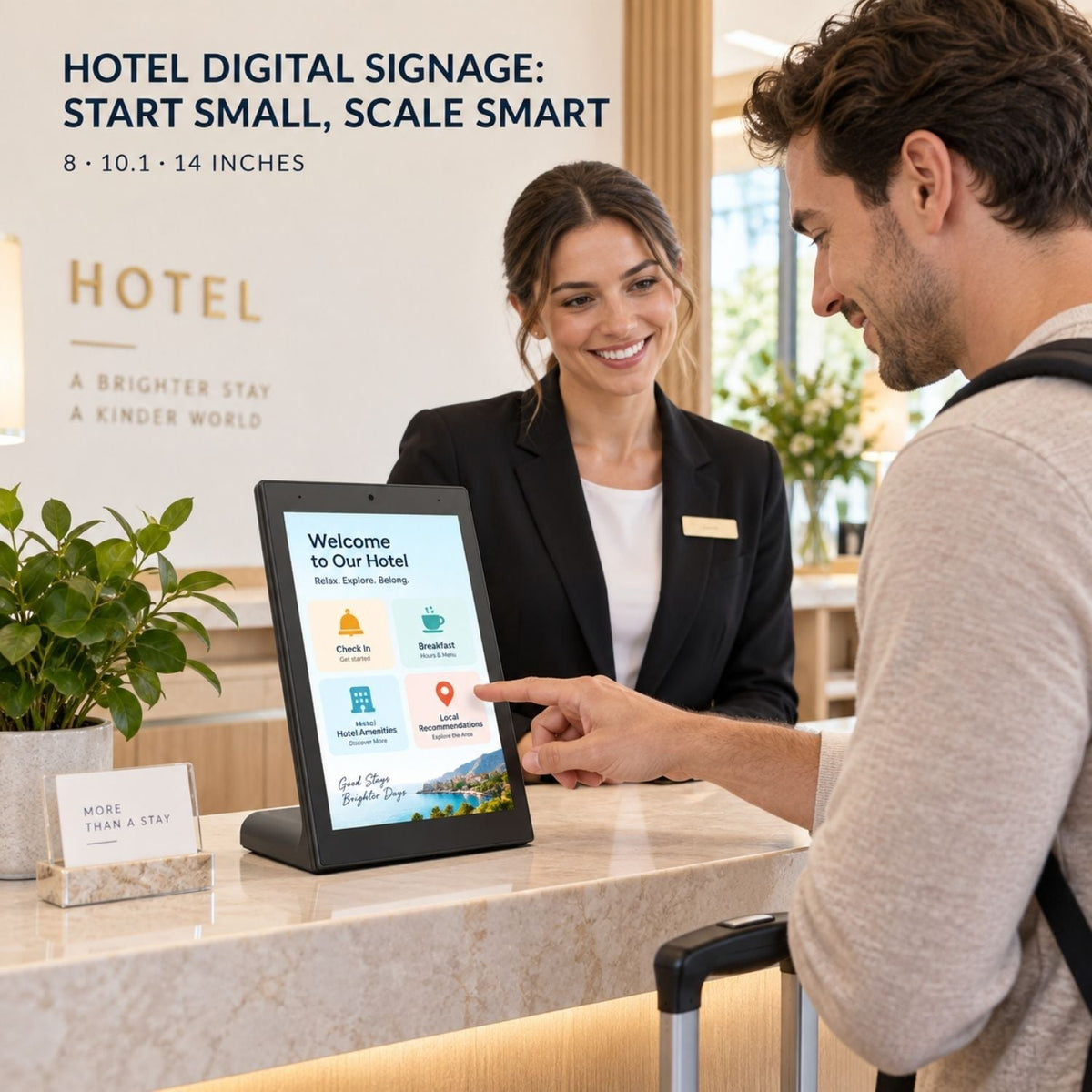
Hotel digital signage does not have to begin with a video wall, a property-wide software contract, or a complicated installation. A hotel can start with one to three compact displays at the places where guests already stop and ask questions, then expand only when the workflow proves useful.
That small-start approach matters for independent hotels, boutique properties, and operators testing a new guest communication system. It also matters for larger groups. A rollout may eventually reach dozens of screens, but the operating model should make sense on the first screen.
This guide explains where to begin, what to show, and how to control costs. It also compares printed signs with digital displays, consumer tablets with commercial tabletop screens, and compact units with wall-mounted and floor-standing signage.
Short answer: place the first hotel digital signage screen at a high-question location, such as the front desk, breakfast area, or meeting space. Use a compact tabletop display and a reusable content template. Start with local USB or compatible Android content if updates are occasional. Move to a CMS when several screens need frequent or coordinated changes.
What is hotel digital signage?
Hotel digital signage is a network of screens used to communicate with guests or staff throughout a property. The content may include check-in guidance, breakfast hours, Wi-Fi instructions, amenity information, meeting schedules, wayfinding, menus, local recommendations, transport details, and service notices.
Digital signage for hotels works best when each screen has a clear role in the guest journey.
Not every screen needs to be large or interactive. A small display on the reception counter may answer three common questions. A wall-mounted screen can show meeting rooms. A floor-standing advertising display may guide visitors near a lobby entrance. The useful format depends on the moment.
Samsung’s hotel signage overview highlights check-in information, amenity hours, local partners, room information, and centralized management. ScreenCloud’s hospitality guide also covers check-in, welcome information, concierge content, wayfinding, schedules, and restaurant menus. Those examples show the range, but a hotel does not need to deploy every use case at once.
Where should a hotel place its first displays?
| Location | What guests need | Useful content | Good starting format |
|---|---|---|---|
| Front desk | Fast answers while arriving or waiting | Check-in time, Wi-Fi, breakfast, luggage, contact options | 8–14 inch tabletop touch display |
| Breakfast area | Clear timing and menu details | Hours, daily menu, allergen notice, service instructions | Tabletop display or wall screen |
| Meeting area | Room and event information | Schedule, room name, host, directions, last-minute changes | Wall-mounted display |
| Lobby entrance | Orientation and property overview | Welcome message, amenities, wayfinding, local highlights | Floor-standing or wall-mounted signage |
| Restaurant or bar | Offers and opening information | Menus, specials, reservation details, event promotion | Tabletop or larger signage display |
Hotel lobby digital signage is most useful when it answers an immediate arrival question instead of acting as decoration.
For a low-cost test, choose one location where staff repeat the same information every day. If guests regularly ask when breakfast ends, where the meeting room is, or how to connect to Wi-Fi, that is a better starting point than a decorative screen with no clear job.
How to start hotel digital signage at lower cost
“Low cost” should mean a controlled total cost, not simply the cheapest screen. Hardware is only one part. Installation, media players, software, content creation, network work, staff time, replacement, and support all affect the real cost.
| Cost area | Lower-cost starting choice | When to invest more |
|---|---|---|
| Hardware | Use one compact all-in-one tabletop display at a proven guest touchpoint | Add larger screens when visibility from a distance matters |
| Installation | Use an existing stable counter and nearby power | Use professional wall or floor installation for permanent public locations |
| Player | Use the display’s built-in Android system for compatible content | Add an external player only when the required software needs it |
| Content | Build one reusable 16:9 template with text, images, and QR codes | Add custom interactive flows after the simple version is tested |
| Management | Use USB or local updates when content rarely changes | Move to a CMS when updates become frequent or screens multiply |
A practical first phase is one to three screens: one at reception, one near breakfast or dining, and one near meeting rooms. The hotel can measure simple operational signals, such as how often staff update the content, which questions still repeat, and whether guests can complete the intended task without help.
Keep the first objective narrow: one screen should solve one main communication problem. A crowded display that tries to be a concierge, menu, directory, booking engine, and advertising channel at the same time is usually harder to use.
Printed hotel signs vs tabletop digital displays
| Decision point | Printed sign | Tabletop digital display |
|---|---|---|
| Best use | Permanent, simple information | Information that changes by time, day, event, or season |
| Updates | Redesign, print, deliver, and replace | Replace a file or publish new content |
| Interaction | QR code or staff assistance | Touch navigation, forms, catalogs, and QR codes |
| Power | None | Requires continuous safe power |
| Failure mode | Can become outdated or physically damaged | Needs startup, app, network, and support planning |
Choose print for a fixed safety instruction, room number, or permanent policy. Choose a digital display when the message changes often, needs several languages, includes a schedule, or lets guests explore more detail. Hotels will often need both.
Consumer tablet and stand vs commercial tabletop display
A consumer tablet can be a reasonable pilot tool. It is familiar, widely available, and supports many apps. But the initial purchase price does not tell the whole story.
| Factor | Consumer tablet + stand | Commercial tabletop display |
|---|---|---|
| Physical design | Needs a separate stand, enclosure, or security solution | All-in-one slanted housing designed for counter placement |
| Continuous presentation | Requires careful charging, sleep, notification, and app settings | Designed around public-facing display operation |
| Ports and media | Depends on the tablet model and adapters | May provide USB, Wi-Fi, and signage-oriented playback options |
| Fleet consistency | Models and operating-system versions may change quickly | A defined commercial model is easier to standardize across a rollout |
| Best fit | Short pilot or staff-supervised use | Repeatable guest-facing counter deployment |
Neither option wins every project. A tablet may be enough for a temporary test. A commercial unit makes more sense when the screen becomes part of the hotel’s daily operating environment and the same setup may be repeated across several counters or properties.
Tabletop vs wall-mounted vs floor-standing hotel signage
| Format | Best hotel location | Strength | Trade-off |
|---|---|---|---|
| Tabletop touch display | Front desk, concierge, breakfast counter, event registration | Compact, close-range interaction, little installation work | Not designed for long-distance viewing |
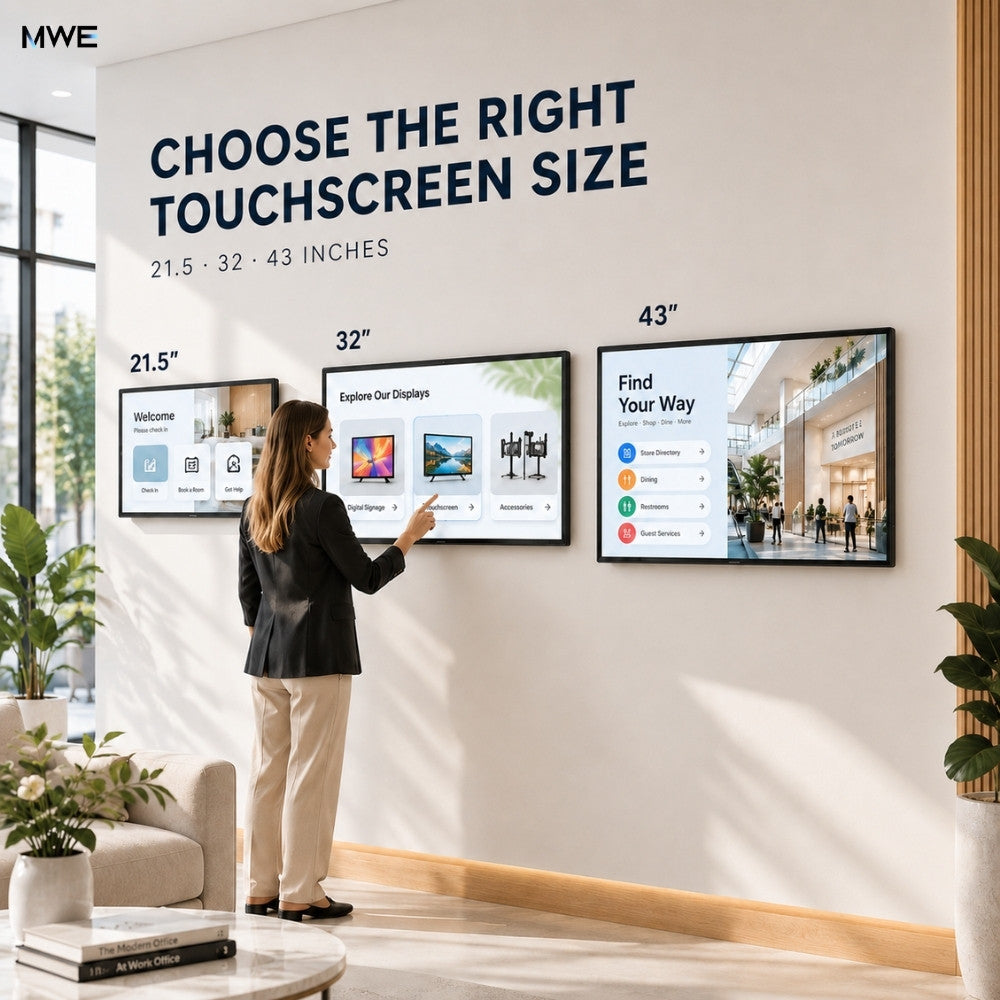
| Wall-mounted touchscreen | Meeting rooms, directories, elevator landing, service area | Saves floor space and supports larger interfaces | Needs wall, mounting, cable, reach, and service planning |
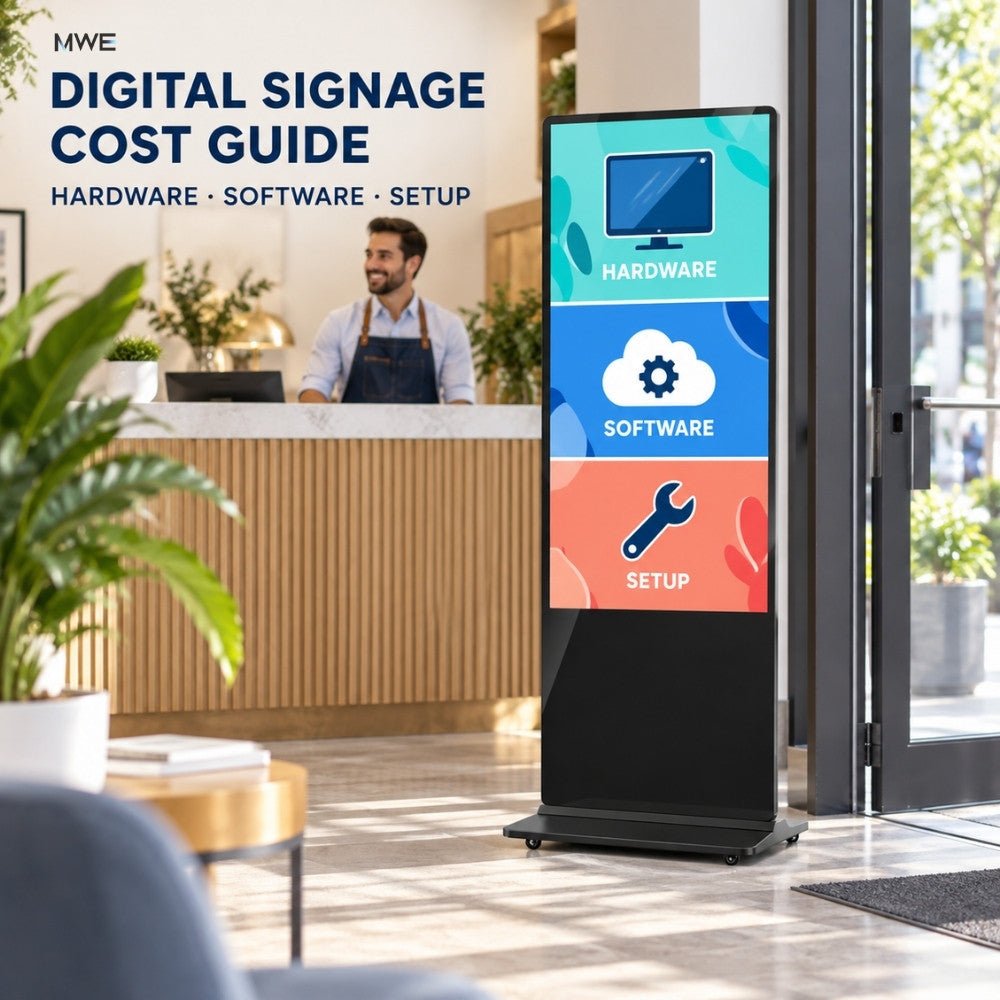
| Floor-standing signage | Lobby entrance, conference foyer, restaurant entrance | High visibility and flexible placement | Uses floor space and needs a stable traffic-safe position |
The first hotel digital signage deployment does not need all three. Start with the format that matches the viewing distance. Tabletop screens serve a person already at the counter. Wall screens serve people standing a few feet away. Floor-standing advertising displays catch attention along a traffic path.
Choosing 8, 10.1, or 14 inches for the counter
| Size | Best fit | Content approach | Watch for |
|---|---|---|---|
| 8 inch | Wi-Fi instructions, feedback, QR code, one short action | One message or a few large buttons | Dense text and long forms feel cramped |
| 10.1 inch | Front-desk information, breakfast details, simple concierge menu | Balanced text, image, QR code, and touch navigation | Still intended for close viewing |
| 14 inch | Event registration, visual menus, property information, product or service browsing | Larger images and more comfortable multi-step interfaces | Needs more counter depth and a clear placement zone |
The useful question is not “Which size looks more impressive?” It is “How much information must the guest understand or touch?” An 8-inch display can be better than a 14-inch screen when the task is simply scanning a Wi-Fi QR code. The 14-inch option earns its space when guests browse rooms, services, dining, events, or local recommendations.
USB vs Android apps vs cloud CMS
| Content method | Choose it when | Advantage | Limit |
|---|---|---|---|
| USB update | One or two screens show stable content | Simple and does not depend on cloud access | Staff must visit each screen |
| Compatible Android app | The screen needs a form, browser page, menu, or interactive tool | Can run the experience on the display without an added PC | App compatibility and recovery must be tested |
| Cloud CMS | Several screens need schedules or frequent coordinated changes | Central publishing and more consistent content | Requires accounts, network access, setup, and ownership |
Screenly’s lobby signage guide notes that manual USB updates become time-consuming when several displays are involved. That is the natural point to consider centralized management—not necessarily on day one.
Before scaling, decide who owns the content. Front desk staff may update today’s event. Marketing may control brand templates. Operations may publish service notices. A clear role is often more important than another software feature.
A phased hotel digital signage rollout
Phase 1: Prove one use case with 1–3 screens
Choose reception, breakfast, or meeting information. Build one content template. Test placement, glare, power, Wi-Fi, cleaning, restart behavior, and guest comprehension for several weeks.
Phase 2: Standardize 5–10 screens
Document the approved hardware, screen settings, content dimensions, naming rules, network setup, update process, and support contact. Add a CMS if manual updates are becoming a burden.
Phase 3: Scale toward a multi-screen or multi-property network
Group screens by location and purpose. Reception screens should not automatically receive restaurant content. Use templates, permissions, schedules, device labels, and a replacement plan. Roll out in batches so one configuration error does not affect every property.
A 50-screen project is not simply the first setup repeated 50 times. At that scale, consistency becomes the main design problem. The screen model, Android version, content orientation, Wi-Fi credentials, update schedule, power recovery, and staff instructions should all be standardized.
What should hotels show?
- Check-in and check-out times
- Wi-Fi network instructions and a QR code
- Breakfast hours and location
- Restaurant, bar, pool, gym, spa, and shuttle hours
- Meeting and event schedules
- Wayfinding to elevators, rooms, parking, and amenities
- Local transport and carefully selected nearby attractions
- Service notices and temporary closures
- Loyalty, upgrade, dining, or late-checkout offers
- A short feedback form or QR link after a service interaction
Keep personal guest information off public screens unless the full workflow has the right privacy controls. Emergency messages also need a formal operational process; a marketing playlist alone should not be treated as an emergency communication system.
How MWEdisplay products can fit different hotel touchpoints
MWE Table Touch Screen Digital Display
This is the main fit for a low-installation-cost start. The compact all-in-one design comes in 8, 10.1, and 14-inch options, with 1920 × 1080 resolution, 10-point PCAP touch, Android 11, Wi-Fi, and USB support. The current product page also lists cloud CMS capability for centralized publishing.
MWE Wall-Mount Touchscreen Digital Signage
For directories, room schedules, and larger interactive information, the wall-mounted range is available in 21.5, 32, and 43 inches. It uses Android 14, 10-point PCAP touch, Full HD resolution, anti-glare glass, and supports USB, HDMI, and optional CMS workflows. Mounting details vary by size and should be confirmed before installation.
MWE Floor Standing Digital Signage
For a lobby entrance, conference foyer, or restaurant approach, a larger floor-standing display can provide stronger long-distance visibility. The range includes 32–65 inch options, USB and HDMI playback, network connectivity, scheduling, and touch or non-touch variants.
The product mix should follow the guest journey. Compact screens answer questions at the counter. Wall displays organize fixed destinations. Floor-standing signage introduces information along a path. Buying one format for every location may look consistent, but it often creates the wrong viewing distance.
Final recommendation
For most hotels testing digital signage, start small and close to the guest. Choose one repeated question, place a tabletop display where that question is asked, and create a simple screen that staff can keep current. If the test works, standardize the template and operating instructions before adding more displays.
Move to wall-mounted or floor-standing screens only where the viewing distance calls for them. Move from USB to CMS when manual updates begin to cost more staff time than centralized management. This keeps the first investment controlled while leaving a clear path from one screen to a property-wide network.
Hotel digital signage FAQ
What is hotel digital signage?
Hotel digital signage uses screens to show guest and staff information, including check-in guidance, amenities, schedules, wayfinding, menus, local information, promotions, and service notices.
How can a hotel start digital signage at low cost?
Start with one to three compact displays at locations where guests ask repeated questions. Use existing counters and power, create reusable templates, and begin with USB or compatible Android content before adding a CMS.
Where should the first hotel digital signage screen go?
The best first location is usually the front desk, breakfast area, or meeting space. Choose the place where timely information can reduce repeated questions or make arrival easier.
Is a tabletop display better than a hotel lobby screen?
A tabletop display is better for close-range information and touch interaction. A larger wall-mounted or floor-standing lobby screen is better when guests need to see content from farther away.
What size tabletop display should a hotel use?
Use 8 inches for one short action, 10.1 inches for general front-desk information, and 14 inches for visual menus, event registration, or multi-step interactive content.
Does every hotel display need a CMS?
No. USB or local updates may be enough for one or two screens with stable content. A CMS becomes useful when several screens need frequent, scheduled, or coordinated updates.
Can a consumer tablet be used for hotel digital signage?
Yes, especially for a short pilot. For repeatable public-facing use, also consider the stand, security, continuous power, sleep settings, notifications, app recovery, model availability, and fleet management.
How do hotels scale digital signage to many screens?
Standardize hardware, templates, device names, network setup, schedules, permissions, restart behavior, support procedures, and replacement stock. Roll out in batches and group screens by location and purpose.
Start with the guest touchpoint
MWEdisplay can help compare compact tabletop, wall-mounted, and floor-standing options for a hotel project.
Contact MWEdisplay or review the Table Touch Screen Digital Display.
Editorial note: Product specifications, included software, service terms, ports, and supported applications can change. Confirm the current product page and test the complete content workflow before a multi-screen rollout.

Hinterlasse einen Kommentar
Diese Website ist durch hCaptcha geschützt und es gelten die allgemeinen Geschäftsbedingungen und Datenschutzbestimmungen von hCaptcha.